
Deliver Outstanding Care,
From Anywhere
Remote Trainer gives you everything you need to guide clients through exercises on screen, so you can stay focused on observing, correcting, and connecting.


How It Works
1. Connect
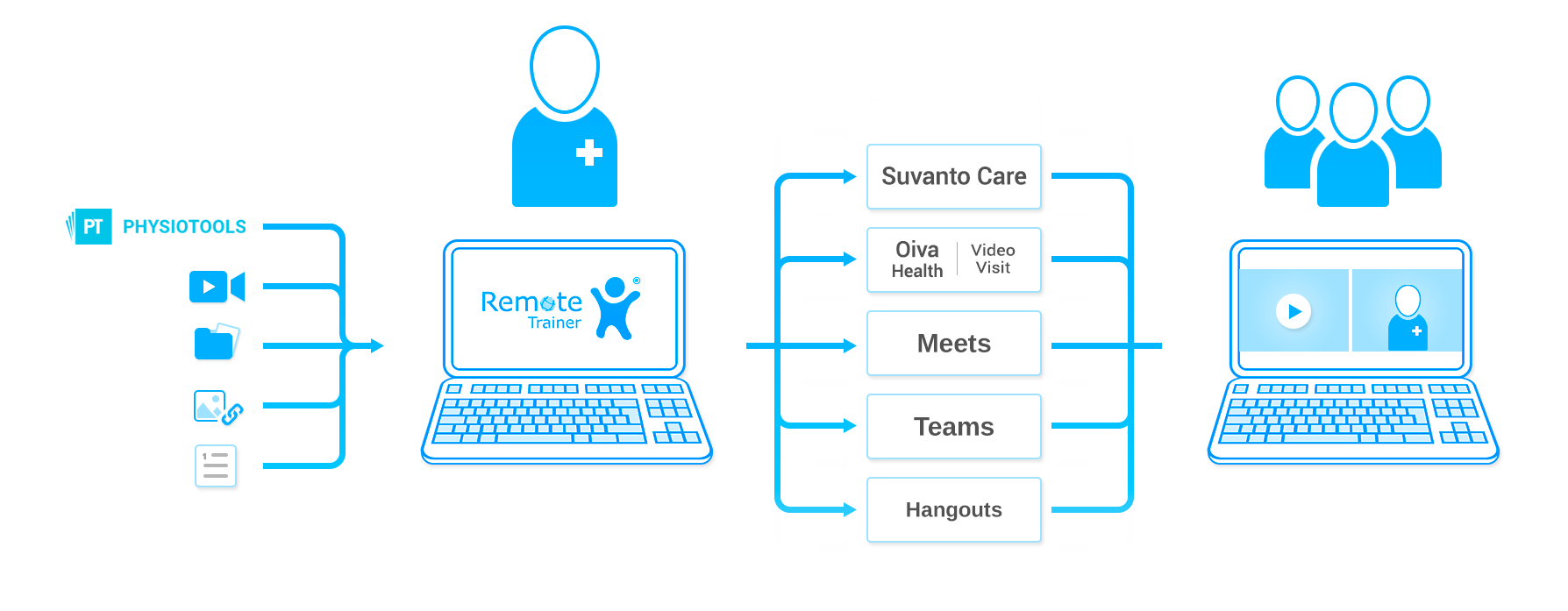
Open your usual video platform — Zoom, Teams, or any app you already use.
2. Select
Choose Remote Trainer from your video call's camera menu. Your exercise content appears on screen instantly, ready to guide your session.
3. Guide
Display, control, and adjust exercises in real time, while keeping your full attention on observing and correcting your client.
Effective Remote Care Starts With
Undivided Attention
Remote Trainer equips professionals with the right tools to present and control exercises on screen, shifting the focus from physical demonstration to what truly drives outcomes: close observation, precise correction, and genuine connection with every client. Whether working one to one or guiding a group, the on-screen video and image exercises ensure every remote session is tailored, focused, and every bit as effective as an in-person visit at the practice.
Full Control of Every Session
Display, pause, rewind, and adjust exercise content in real time, all from within your existing video platform. You stay in control of the session from start to finish, without interrupting the flow.
A Tool That Fits Your Workflow
Built for practitioners, not IT departments. Remote Trainer integrates with the video platforms you already use — no new platforms, no steep learning curve, ready from day one.
More Time for What Matters
Remote Trainer saves clients the journey and gives practitioners back their full attention. Clients can attend from the comfort of their own homes, and practitioners focus on observing, guiding, and delivering outstanding care.
A Library That's Truly Yours
Import your own videos and images, or connect with exercise libraries your organisation already uses, such as Physitrack. Build sessions that reflect your expertise and methodology, with the content your team knows and trusts, delivered professionally on screen.


Wellbeing Services County of Kanta-Häme
FAQs
Here you can find answers to commonly asked questions about Remote Trainer.
Yes, it is. The same license key works for both platforms.
Yes, it does. The first installation of Remote Trainer requires administrative rights,but most automatically served updates can be installed with normal user rights.
After installing you get two great tools of Remote Trainer: Desktop version and
meeting version.
Desktop version is good when building the content and practicing your
presentation upfront. It shows you exactly what your upcoming audience will see
in the online meeting.
The meeting version is a dedicated video camera and can be activated
automatically when you put your camera on, after the Remote Trainer has been
selected as the default camera from your meeting environment options.
Yes, you can. You can contact our sales department and book a remote
appointment to get started.
Still have questions?
If you were unable to find an answer or would like more information, you are warmly welcome to contact us.
See Remote Trainer in action
Let us show you Remote Trainer in action, get answers to your specific questions, and find out why Remote Trainer is the right choice for your organization.
.png)